A customer writes in with a simple question that should be easy to answer. Maybe it is “Where is my order?” or “Can you update my address?” or “I was charged twice, can you fix it?” On your side, it lands in an inbox that already looks like a junk drawer. Ten minutes pass, then an hour, then half a day, and from the customer’s perspective none of the internal context matters. They only know they took the time to reach out and they have not heard back, so their brain starts doing what brains do: it fills the silence with stories. The story usually is not generous.
This is why response speed is not just a productivity metric. It is a trust signal. Fast replies calm people down, keep them from escalating, and stop small issues from growing into expensive problems. Slow replies create follow-ups, channel hopping, and frustration that shows up later as refunds, charge-backs, negative reviews, or quiet churn that never gives you a second chance.
First Response Time for Support Emails: How to Reduce Uncertainty Fast
When customers email support, they are often not looking for a beautifully written paragraph. They are looking for reassurance that their situation is understood and that something is happening. If they feel ignored, they get louder. If they feel seen, they get patient. That is the whole game, and it is why the first reply matters so much. You do not need to solve everything instantly to deliver a great experience, but you do need to remove the scary part, which is the feeling that their email fell into a void.
A strong first response time can be short, human, and clear, even if the full solution takes longer. The difference between “We received your message” and “I’m checking this now and I’ll update you by 3 PM” is huge. One is a generic receipt, the other is a promise with a timeline, and timelines are what people trust.
Slow Customer Support Email Replies Increase Costs and Ticket Volume
There is a nasty loop that shows up in almost every growing business. When replies slow down, customers send follow-ups. Those follow-ups stack on top of the original email, and now your team spends extra time re-reading threads, re-orienting, and trying to figure out what has already been said. Meanwhile the customer is more irritated than they were the first time, which means your agent now has to spend emotional energy de-escalating, not just answering the question. That is how one unanswered email becomes three messages, a phone call, a social media post, and then a refund request that could have been avoided with a quick response and a clear next step.
Fast replies reduce total ticket volume over time because they prevent those follow-up spirals. This is where speed directly connects to money. Every extra email thread, every reopened ticket, every escalation to a senior person is cost. If your support costs feel higher than they should, response time is often the hidden culprit.
Customer Service Email Speed and Customer Loyalty: Why It Impacts Retention
Customers rarely separate your product from your support experience. They might say they do, but their behavior tells the truth. If support is responsive and clear, people assume the company is competent. If support is slow and confusing, people assume the company is disorganized, even if the product itself is great. That perception affects repeat purchases, referrals, reviews, and willingness to give you the benefit of the doubt when something goes wrong.
In other words, support is not just a department that “handles issues.” It is part of the value customers believe they are buying. Fast email replies are one of the easiest ways to make your company feel premium without changing anything about your product.
How to Reply Faster to Customer Service Emails Without Sounding Robotic
High-performing support teams do not win because they have superhero agents who can type at 120 words per minute. They win because they build systems that make speed the default. They treat the inbox like a workflow, not like a pile of messages. They separate urgent from routine quickly, they keep replies consistent, and they avoid rewriting the same explanations from scratch every week.
They also keep the tone human. Fast replies that feel cold can still create frustration, because customers are not only judging the time, they are judging the care. The goal is to reply quickly and sound like a real person who wants to help, not like a template that learned how to apologize.
AI Email Assistant for Customer Support: How Pullsy Speeds Up Triage and Drafting
Most teams are not slowed down by the act of sending an email. They are slowed down by everything that happens before the send button. Someone has to read the message, decide what it is, decide who owns it, find context, remember the policy, choose the right tone, and then write the reply. That is a lot of invisible labor, and when your inbox is busy that labor becomes a bottleneck. It also becomes inconsistent, because two different people will handle the same type of request in two different ways, and inconsistency is another cause of reopened tickets and confusion.
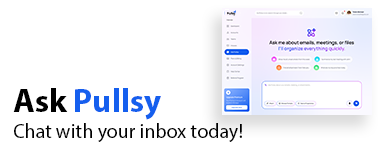
Pullsy is designed to take the heavy lifting out of that workflow. It’s an ai connection that categorizes incoming emails so patterns are obvious and priority is easier. It drafts replies so your team starts at a strong first version instead of staring at a blank screen. It helps keep your responses consistent so customers get clear answers that match your policies, and your team spends less time cleaning up misunderstandings. When this works the way it should, you end up with fewer back-and-forth emails, fewer escalations, and a support team that can handle more volume without hiring as fast.
That is the real ROI: you are not just saving minutes on writing, you are reducing the compounding cost of slow replies, which is follow-ups, escalations, and churn that starts as a simple question.
How to Make AI-Drafted Customer Service Emails Sound Human
The trick is not to pretend you wrote every word from scratch. The trick is to make sure the customer feels understood. Drafts are a starting point, not the final output, and the final output should include a little bit of the customer’s reality. The AI will address them by their name which makes it more personal. Reference the specific order number or plan name. Mention the exact issue they described, not a generic version of it. Then give them the next step in plain language, including what you will do and when they will hear from you again.
If your team does that consistently, drafts become a speed advantage that still feels personal. Customers love fast support. They hate support that feels indifferent. You can be fast and human at the same time.
Customer Service Email Metrics That Matter: First Response, Resolution, Backlog
If you want to improve response time and keep it improved, focus on the moments that shape customer perception, not just internal reporting. A few simple metrics usually tell the story:
- First response time: how quickly customers hear back after they reach out
- Time to resolution: how long it takes to fully solve the issue
- Backlog size: how many messages are waiting right now
- Reopen rate: how often tickets come back because the reply was unclear or incomplete
Notice how little this has to do with “writing faster.” This is workflow. If you shrink backlog and reduce reopen rate, response time improves as a result, and your team stops feeling like they are sprinting on a treadmill.
Fast Customer Service Email Replies: How They Prevent Escalations and Churn
When you reply quickly, customers stay calmer. When customers stay calmer, issues get solved with fewer messages. When issues get solved with fewer messages, your costs drop, your team feels less stressed, and your brand looks more trustworthy. This is one of those rare win-wins where doing the right thing for the customer is also the financially smart thing to do.
If your inbox is heavy and your team is constantly behind, the answer is usually not “try harder.” The answer is to reduce the friction that happens before the reply is sent. That is where categorization and drafting matter, because they remove the slowest parts of the process while keeping humans in control of judgment, empathy, and exceptions. That is exactly the kind of work Pullsy is built to support.
FAQ
What is a good email response time for customer service?
A good target is fast enough that customers feel seen and reassured, even if the full solution takes longer. Many teams aim for a quick first response with a clear timeline, then follow through with a resolution as soon as possible.
Why does first response time matter so much?
Because it removes uncertainty. Customers often become frustrated because they do not know what is happening. A quick first reply that confirms you are on it and sets expectations prevents many escalations and repeated follow-ups.
Does replying faster really save money?
Yes, because it reduces follow-ups, escalations, and reopened tickets. Fewer repeated messages means less time spent per issue, which lowers support costs and makes staffing needs more predictable.
How can an email assistant help customer support teams?
An email assistant can categorize incoming messages and draft replies so agents spend less time sorting, searching, and writing from scratch. When used correctly, it speeds up response time while keeping responses consistent and clear.